Software analysis
Analysis of the list of launched software
When inspecting the content of the Flash, we can see a list of programs that were launched on our Fish Life. We were able to recognise the five programs unique to the Fish Life, the game ChuChu Rocket! from our tests, as well as a program called Touch De Asobo M. This probably refers to the software マクドナルドのタッチであそぼ (Makudonarudo no tatchi de asobo) which used the Fish Life for games machines in McDonald’s restaurants[51].
# strings fish_flash.bin -n 10 | sort -u | less
[...]
GDM-0006  TOUCHDEASOBOM
HDR-0039  CHUCHUROCKET
HDR-0093  FISH LIFE REDSEA
HDR-0094  FISH LIFE AMAZON
HDR-0095  FISH LIFE EPISODE 1
HDR-0096  FISH LIFE EPISODE 2
HDR-0097  FISH LIFE EPISODE 3
[...]
Analysis of Amazon Playful Edition visuals
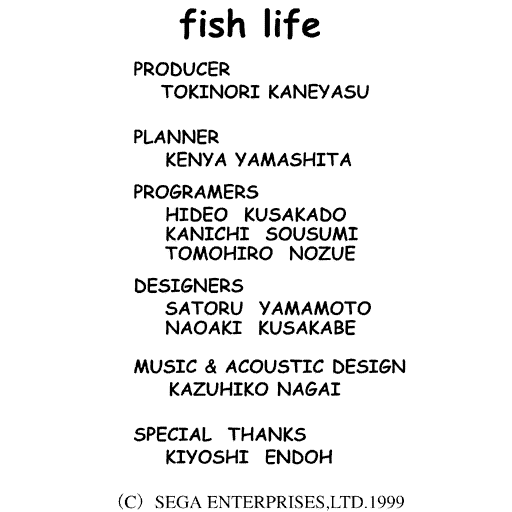
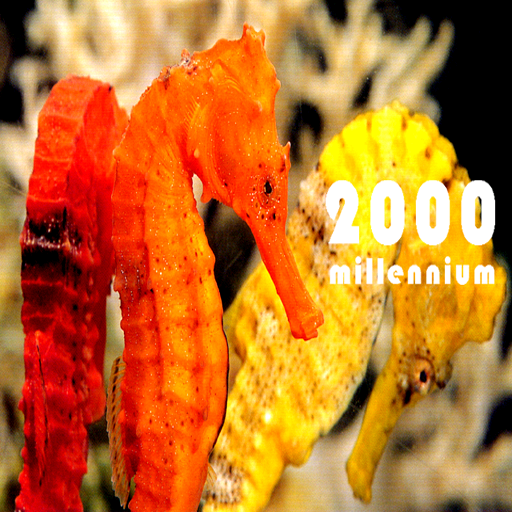
Using PVRViewer, we were able to find some interesting visuals:

Analysis of Amazon Playful Edition voice commands
By analysing the file track03.bin of the Amazon Playful Edition software image, we found some words in English, indicating the possibility of English voice commands which are potentially non-functional.
# strings track03.bin
[...]
Eng.USA.models.mike.1600.2.full.v1.0.2
food
wanna eat
[...]
what's this
fish
howdy
come on
let's play
se ga
fish life
[...]
surprise
parado
pose
drawing
doremi
zoom
Word
Jpn.JPN.models.mike.1600.2.full.v1.1.3
[...]
However the strings command did not let us see the Japanese voice commands. By analysing the file structure, we were able to find hexadecimal data corresponding to the Japanese commands.
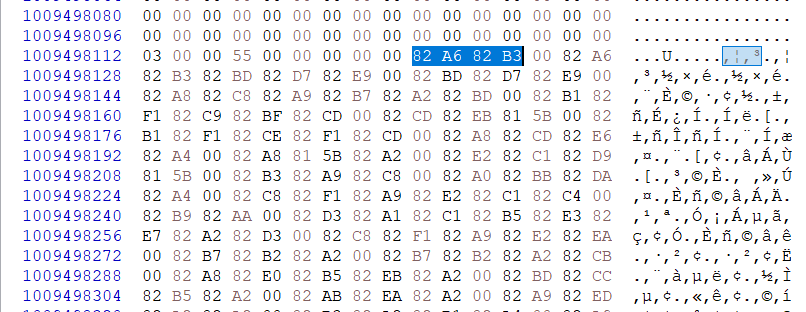
This data can then be converted into Japanese characters if we remember that Japanese character encoding is often Shift-JIS. For example, converting 82 A6 82 B3 gives えさ. This means there are 82 voice commands in Japanese.
| Command in Japanese characters | Romanisation | Loose English translation |
|---|---|---|
| えさ | esa | food |
| えさ たべる | esa taberu | eat food |
| たべる | taberu | eat |
| おなか すいた | onaka suita | to be hungry |
| こんにちは | konnichiwa | hello |
| はろー | haro | hello |
| こんばんは | konbanwa | good evening |
| おはよう | ohayō | good morning |
| おーい | ōi | hey |
| やっほー | yahhō | you-hoo! |
| さかな | sakana | fish |
| あ そぼう | a sobō | let’s play |
| なん か やって | nan ka yatte | do something |
| せ が | se ga | SEGA |
| ふぃ っしゅ らい-ふ | fuィ sshu rai-fu | Fish Life |
| なん か やれ | nan ka yare | do something |
| すごい | sugoi | great |
| すごい ね | sugoi ne | isn’t it great? |
| おもしろい | omoshiroi | funny |
| たのしい | tanoshī | pleasant |
| きれい | kirei | pretty |
| かわいい | kawaī | cute |
| さいこう | saikō | the best |
| かしこい | kashikoi | clever |
| おどって | odotte | dance |
| おどれ | odore | dance! |
| うごけ | ugoke | move! |
| うごいて | ugoite | move |
| つまんない | tsumannai | boring |
| へん な の | hen na no | that’s strange |
| こわい | kowai | scared |
| ださい | dasai | old fashioned |
| さいてい | saitei | the lowest |
| ばーか | bāka | stupid |
| ばか やろう | baka yarō | idiot |
| きもち わるい | kimochi warui | I feel sick |
| さかな はっけい | sakana hakkei | watch the fish |
| しー ま ん | shī ma n | Seaman |
| あ ほー | a hō | hey ho |
| ぴか ちゅー | pika chu | Pikachu |
| うんこ | unko | poo |
| うんち | unchi | poop |
| おしっこ | oshikko | wee |
| ばい ばい | bai bai | Bye bye |
| きえろ | kiero | off! |
| ぱ れー ど | pa re do | parade |
| とまれ | tomare | stop! |
| ま て | ma te | wait |
| お え かき | o e kaki | drawing |
| どれみ | Doremi | do re mi |
| はっく-しょ ん | hakku-sho n | atishoo |
| なまえ | namae | name |
| ずーむ | zūmu | zoom |
| なまえ は | namae wa | what is your name |
| まわれ | maware | turn around |
| かいてん | kaiten | care |
| へんしん | henshin | change |
| うぇ ー ぶ | uebu | wave |
| てんぐ | tengu | Tengu |
| てんぐ かわはぎ | tengu kawahagi | |
| なぽれおん | Naporeon | Napoleon |
| なぽれおん-ふぃ っしゅ | Naporeonfisshu | Napoleon fish |
| ぶるー せる | buru seru | blue cell |
| ごー る でん | go ru den | golden |
| ごー る で ん ばた ふらい | go ru de n bata furai | golden butterfly |
| いえろー -ばん ど | iero -ban do | yellow band |
| えんぜる-ふぃ っしゅ | enzerufisshu | angelfish |
| にしき やっこ | nishiki yakko | ? |
| きんぎょ は なだ い | Kin gyo wa nada i | goldfish |
| おー きっど | ō kiddo | Orchid |
| どてぃ ー ばっく | dote i bakku | dotty back |
| お れんじ ふぇいす | o renji feisu | orange face |
| でぃ すかす | deィ sukasu | discus |
| ぐりーん でぃ すかす | gurīn dei sukasu | green discus |
| ぶら うん でぃ すかす | bura un dei sukasu | brown discus |
| ぶるー でぃ すかす | buru dei sukasu | blue discus |
| あるた む えんぜる-ふぃ っしゅ | aruta mu enzerufisshu | altum angelfish |
| ぴら にあ | pira Nia | piranha |
| ぴら に あ なって りー | pira ni a natte ri | Red-bellied piranha |
| かー じ なるて とら | kā ji narute tora | Cardinal tetra |
| ごー る でん て とら | go ru den te tora | Golden tetra |
| て とら | te tora | Tetra |
Amazon Playful Edition hidden test menu
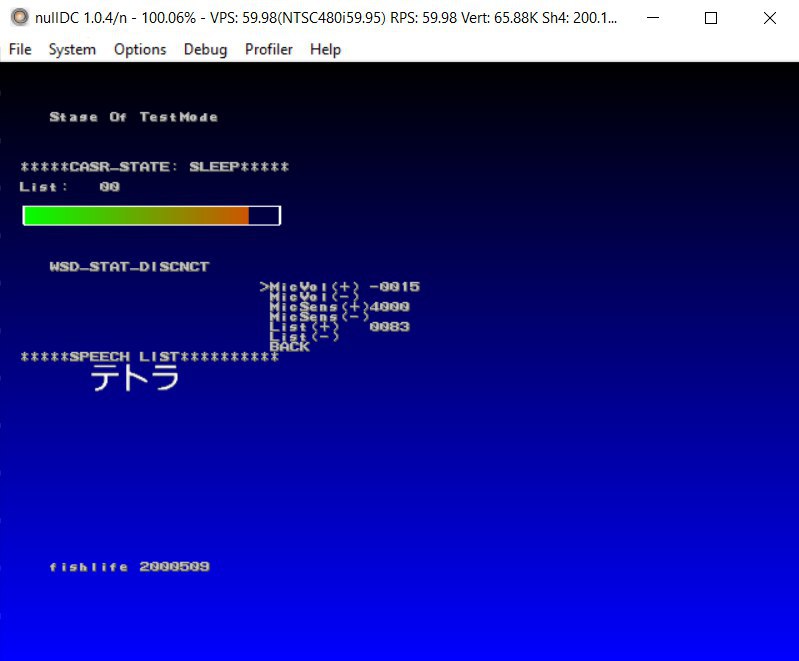
With the help of several members of the francophone Dreamcast community, we discovered that the Amazon Playful Edition software included a test menu which is accessible using the combination: “down with the digital pad + B button”. This menu allows you to test a certain number of functionalities, such as voice recognition or touch interactions.